Building a Simple Real-Time Voice Agent with LiveKit
A hands-on walkthrough of building a real-time voice agent with LiveKit, wiring up the full STT to LLM to TTS loop so you can have back-and-forth voice conversations.
In a previous post, I covered how real-time voice agents work: the architecture, the pipeline, and where latency comes from at each stage. This post is the practical follow-up: actually building and running one.
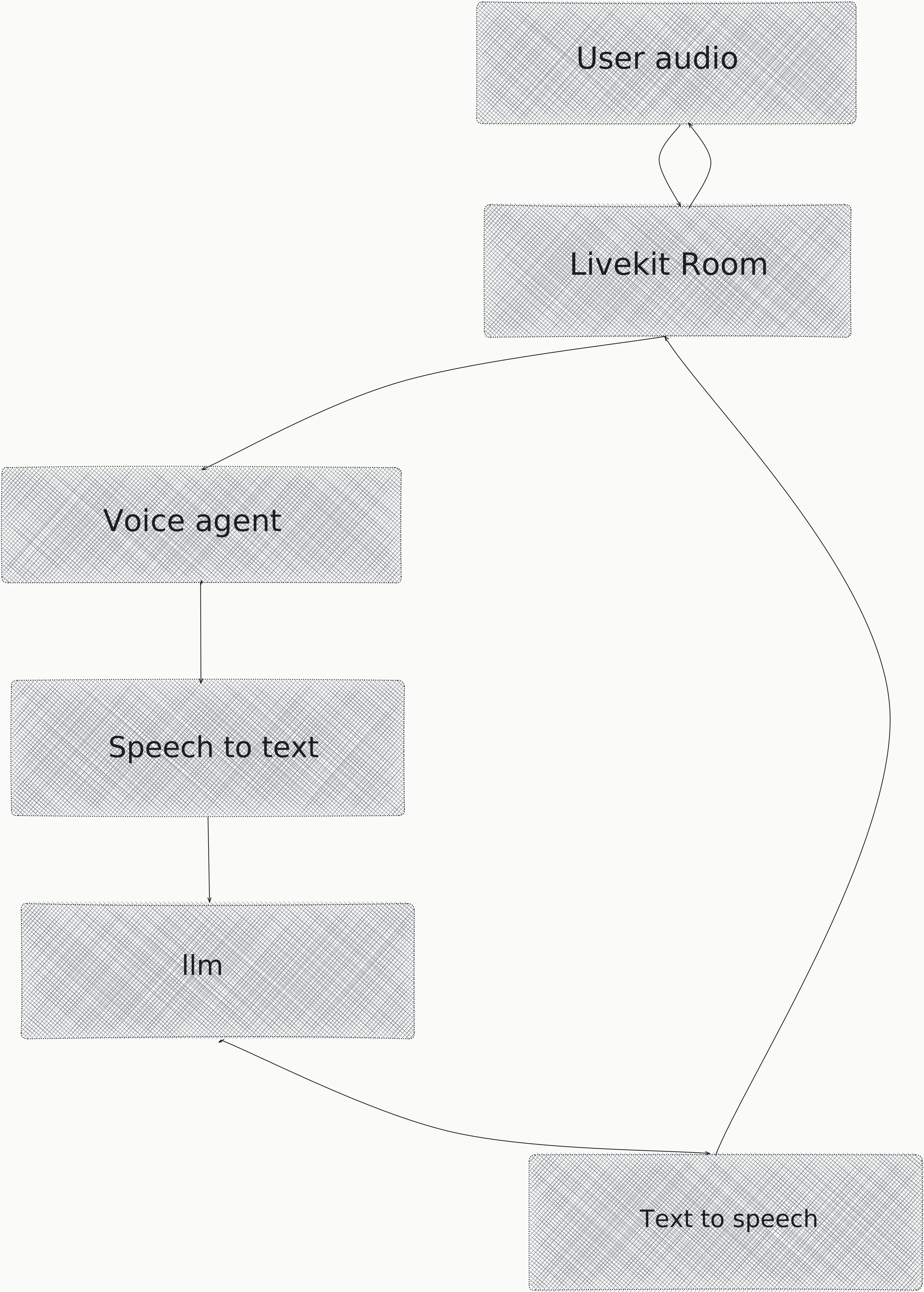
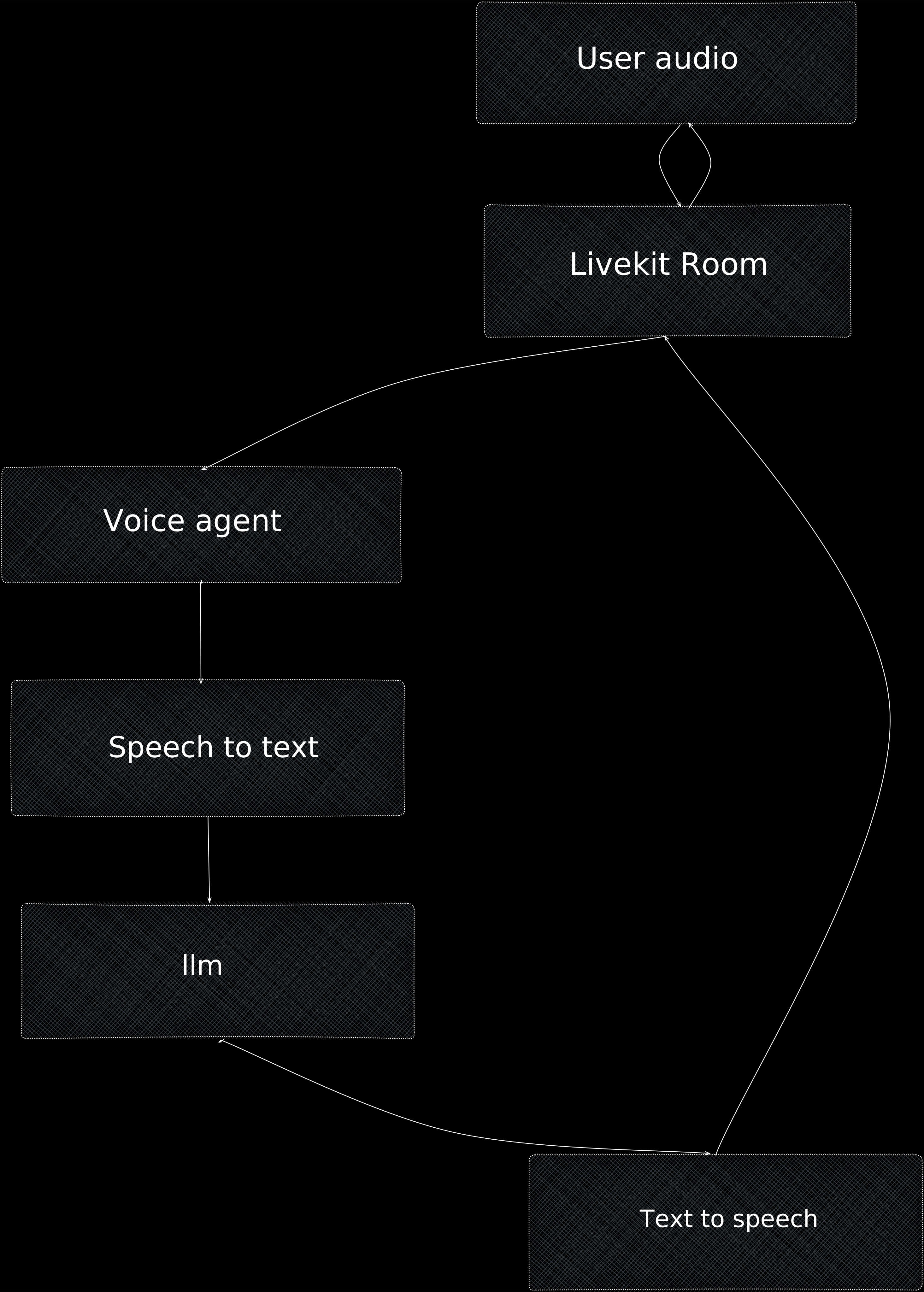
The goal is simple: a voice agent you can talk to. It listens to your speech, transcribes it, sends it to an LLM, and speaks the response back. The full STT → LLM → TTS loop, end to end. By the end, you'll have something running locally that you can experiment with.
You can find the full source on GitHub at gokuljs/Livekit-Voice-agent. Clone it and follow along.
Before You Start
If you haven't spent time in the LiveKit docs yet, it's worth doing before diving into the code. The platform has a lot more surface area than what this post covers, and reading through it will give you a much better mental model of what's possible: rooms, participants, tracks, agent workers, SIP integration. You'll come back to these pages often.
- LiveKit Overview: rooms, participants, and tracks
- LiveKit Agents: how to build and run AI agents
- LiveKit SIP: connecting to phone numbers and telephony systems
Architecture
Diving Into the Code
I'll let the code speak for itself here. You'll be surprised how little it takes to get something running.
async def entrypoint(ctx: JobContext):
    await ctx.connect(auto_subscribe=AutoSubscribe.AUDIO_ONLY)
    await ctx.wait_for_participant()

    rime_tts = rime.TTS(model=RIME_MODEL, speaker=RIME_SPEAKER)
    session = AgentSession(
        stt=openai.STT(model=OPENAI_TRANSCRIPT_MODEL),
        llm=openai.LLM(model=OPENAI_MODEL),
        tts=rime_tts,
        vad=ctx.proc.userdata["vad"],
        turn_detection=MultilingualModel(),
    )

    await session.start(
        room=ctx.room,
        agent=VoiceAssistant(),
        room_input_options=RoomInputOptions(
            noise_cancellation=noise_cancellation.BVC()
        ),
    )
    await session.say(INTRO_PHRASE)
That's the entire entrypoint. You initialize your STT, LLM, and TTS, pass them into AgentSession, and start it. LiveKit wires the pipeline together for you. The agent connects to the room, waits for a participant, and greets them. That's all it takes to get a working voice agent off the ground.
Once it's running, the real challenges show up: chipping away at latency, building observability on top of what LiveKit provides, and thinking carefully about how you design your agent for the use case you're targeting. Getting started is the easy part.